

Aviation Lighting Signals in RFS Real Flight Simulator: From Aircraft Lights to Aviation Obstruction Lights
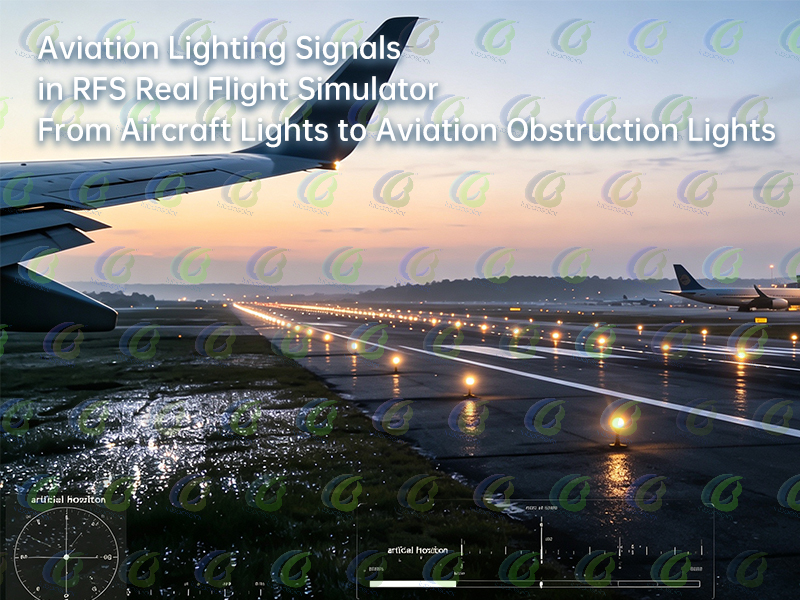
Aviation Lighting Signals in RFS Real Flight Simulator: From Aircraft Lights to Aviation Obstruction Lights
Understanding Aviation Lighting Systems Through RFS Flight Simulation
In real aviation operations, pilots rely on both aircraft systems and visual lighting signals to identify aircraft status, runway position, and surrounding conditions.
RFS (Real Flight Simulator) recreates realistic cockpits, airport environments, and flight procedures, allowing flight simulation enthusiasts to observe how different lighting systems work during taxiing, takeoff, and landing.
For example, taxi lights work together with airport taxiway lights during ground movement, while approach lights and runway lights provide guidance during approach and landing. Aviation obstruction lights on surrounding structures also demonstrate how fixed obstacles are marked in the real flight environment.
Although RFS is a flight simulation platform, the lighting systems included are based on real aviation operating principles. Different lights serve different purposes, including aircraft identification, airport guidance, and obstacle warning.
1. Aircraft Lighting: Showing Aircraft Status and Direction
Aircraft lights are installed on the aircraft itself and provide information about aircraft position, direction, and operating status.
During an RFS flight simulation, different aircraft lights can be observed during parking, taxiing, takeoff, and landing. These lights are not only used for visibility but also provide important signals to the surrounding environment.
NAV LIGHTS (Navigation Lights)
Navigation lights indicate aircraft direction and position.
They usually include:
- Red light on the left side;
- Green light on the right side;
- White light on the tail.
By observing these lights, pilots and ground personnel can identify aircraft orientation and movement direction.
BEACON LIGHTS (Anti-Collision Lights)
Beacon lights use red flashing signals to indicate that an aircraft is operating.
They are commonly activated during:
- Engine start;
- Pushback operations;
- Ground taxiing.
These lights warn nearby personnel to stay clear of aircraft operating areas.
LANDING LIGHTS and TAXI LIGHTS
Landing lights are mainly used during takeoff and landing to improve forward visibility.
Taxi lights illuminate the route ahead when aircraft move on the ground, helping aircraft:
- Leave the parking stand;
- Follow taxiways;
- Enter the runway.
In real airport operations, aircraft lighting works together with airport lighting systems to support safe aircraft movement.
2. Airport Lighting Systems: Guiding Aircraft Operations
While aircraft lights show the aircraft’s own status, airport lighting systems provide visual guidance for aircraft movement.
In RFS airport scenarios, flight simulation enthusiasts can observe how airport lights support aircraft from departure to arrival.
During nighttime, fog, or low-visibility conditions, pilots rely on airport lighting systems to identify approach paths, runway areas, and taxi routes.
Approach Lights
Approach lights are installed near runway entrances and provide guidance during the final approach phase.
They help pilots judge aircraft alignment with the runway and adjust the approach path before landing.
Runway Lights
Runway lights help pilots identify runway boundaries and direction.
Common runway lighting includes:
- Runway Edge Lights;
- Runway Centerline Lights.
During night operations or poor visibility, runway lights provide clear guidance for safe landing.
Taxiway Lights
After landing, aircraft use taxiways to return to the parking area.
Taxiway lights mark ground movement routes and help pilots:
- Exit the runway;
- Follow designated taxi routes;
- Return to the parking stand.
Therefore, airport lighting systems support the complete aircraft operation process, from takeoff and landing to ground movement.
3. Aviation Obstruction Lights: Marking Fixed Obstacles
Besides aircraft lights and airport lighting systems, aviation environments also require Aviation Obstruction Lights.
These lights are installed on tall structures such as buildings, communication towers, wind turbines, and transmission towers to improve obstacle visibility during nighttime and low-visibility conditions.
Unlike aircraft lighting, aviation obstruction lights are installed on fixed structures and use steady or flashing signals to alert pilots to potential obstacles.
In practical applications, aviation obstruction lights must be designed according to structure height, installation conditions, and ICAO (International Civil Aviation Organization) requirements.
4. How Aviation Lighting Systems Work Together
Aircraft Lighting
Shows aircraft position, direction, and operating status.
Airport Lighting Systems
Guides aircraft during approach, landing, and taxiing.
Aviation Obstruction Lights
Marks fixed obstacles and improves flight environment awareness.
Through different flight stages in RFS, users can gradually understand how these lighting systems work together:
Aircraft lights show the aircraft’s own status;
Airport lighting guides aircraft movement;
Aviation obstruction lights indicate surrounding obstacles.
Together, these lighting systems provide essential visual information for safer aviation operations.
Conclusion
RFS Real Flight Simulator not only simulates aircraft operation procedures but also helps flight simulation enthusiasts understand the role of aviation lighting in different flight stages.
From aircraft navigation lights and landing lights to airport approach lights, runway lights, taxiway lights, and aviation obstruction lights, each lighting system performs a specific function in aviation operations.
By experiencing taxiing, takeoff, and landing procedures in RFS, users can better understand the relationship between aircraft lighting, airport lighting systems, and aviation obstruction lights in real aviation environments.
How to Improve School Bus Safety? The Role of LED Stop Signs, Stop Arms, and Safety Inspection Devices
HH-188-02 Solar Radar Speed Sign Installation Guide: Steps and Key Considerations
Related Article